

Top 10 Small Business Automation Tools in Small Businesses: Boost Productivity, Save Time, and Grow Faster in 2026
Small businesses are entering a new era where automation is no longer a luxury reserved for large corporations. From managing customer relationships and sending invoices to automating marketing campaigns and handling repetitive administrative tasks, modern automation tools are helping small businesses accomplish more with fewer resources.
In 2026, business owners face increasing pressure to reduce operational costs, improve customer experiences, and remain competitive in a rapidly changing digital marketplace. Fortunately, artificial intelligence (AI), cloud-based software, and no-code automation platforms make it easier than ever to streamline everyday operations without hiring a large technical team.
Whether you operate an online store, digital marketing agency, consulting firm, startup, or local service business, choosing the right automation tools can help you save valuable time and focus on business growth.
In this guide, we explore the top 10 tools driving automation in small businesses, their key features, practical applications, and how to choose the right solutions for your business.
Why Business Automation Matters More Than Ever in 2026
Business automation involves using software and technology to perform repetitive tasks with minimal human intervention. Instead of manually processing every customer inquiry, updating spreadsheets, sending reminders, or publishing marketing content, businesses can create automated workflows that handle these activities.
Automation does not necessarily mean replacing employees. Its primary purpose is to reduce repetitive workloads so employees can focus on strategy, customer relationships, creativity, and decision-making.
Some of the biggest benefits include:
- Increased productivity: Complete repetitive tasks faster and more consistently.
- Reduced operating costs: Minimize manual administrative work and unnecessary expenses.
- Improved customer experience: Respond to inquiries, send notifications, and follow up more efficiently.
- Better accuracy: Reduce errors associated with repetitive manual data entry.
- Scalable operations: Handle increasing workloads without proportionally increasing staff.
- Better business insights: Collect and organize information to support smarter decisions.
For small businesses operating with limited budgets and teams, these advantages can make a meaningful difference.
Top 10 Small Business Automation Tools in Small Businesses
1. Zapier – Connect Your Business Apps Automatically
Best for: Connecting multiple applications and automating repetitive workflows
Zapier is one of the most popular no-code automation platforms for small businesses. It allows different applications to communicate with each other and automatically perform tasks when specific events occur.
For example, when a potential customer submits a website contact form, Zapier can automatically:
- Add the customer’s information to a CRM.
- Send a confirmation email.
- Notify the sales team through Slack.
- Create a follow-up task.
- Add the lead to a marketing list.
These automated workflows are commonly called Zaps.
Key features:
- Thousands of app integrations.
- Automated data transfers between platforms.
- AI-powered workflow capabilities.
- Automated notifications and lead management.
- No-code workflow creation.
Business application: A digital marketing agency can automatically transfer new client inquiries from its website into a CRM and notify the sales team without manually checking every submission.
Why choose Zapier? It is particularly useful for businesses that use multiple software applications and want to connect them without developing custom software.
2. Make – Build Advanced Business Workflows
Best for: Visual automation and complex workflows
Make, formerly known as Integromat, is a powerful automation platform that allows businesses to build sophisticated workflows through a visual interface.
Unlike basic automation tools, Make supports conditional logic, multiple workflow branches, data transformation, and complex sequences.
For example, an eCommerce business can use Make to:
- Monitor new customer orders.
- Check payment information.
- Update inventory records.
- Generate order notifications.
- Send delivery information to customers.
Key features:
- Visual workflow builder.
- Multi-step automation.
- Conditional workflow logic.
- Data processing and transformation.
- Integrations with popular business applications.
Business application: An online retailer can connect its website, payment gateway, inventory management system, and customer communication platform to reduce manual order processing.
Why choose Make? It is an excellent choice for businesses that need greater control over their automation processes.
3. HubSpot – Automate Customer Relationships and Sales
Best for: Customer relationship management (CRM) and sales automation
Customer relationships are essential to the success of every small business. However, manually managing customer information, tracking potential clients, and following up with prospects can consume significant time.
HubSpot provides CRM capabilities that help businesses organize customer information and automate parts of their sales and marketing processes.
With HubSpot, businesses can:
- Capture and organize leads.
- Track customer interactions.
- Manage sales pipelines.
- Automate selected follow-up processes.
- Organize customer communication.
- Monitor marketing and sales performance.
Business application: A software company can use HubSpot to track website inquiries, assign leads to sales representatives, and manage opportunities through different sales stages.
Why choose HubSpot? It helps businesses maintain organized customer records and build more consistent sales processes.
4. Mailchimp – Automate Email Marketing Campaigns
Best for: Email marketing and customer engagement
Email marketing remains an important digital marketing strategy for businesses looking to build long-term relationships with customers.
Mailchimp helps businesses automate email campaigns based on customer behavior, subscriptions, and marketing objectives.
Instead of manually sending individual emails, businesses can create automated email journeys that communicate with customers at different stages.
Key features:
- Automated email campaigns.
- Customer segmentation.
- Email marketing templates.
- Campaign performance analytics.
- Audience management.
- Marketing integrations.
Business application: An online store can automatically send welcome emails to new subscribers, product recommendations to selected customers, and reminders to shoppers who abandon their shopping carts.
Why choose Mailchimp? It helps small businesses maintain consistent communication with customers without manually managing every campaign.
5. QuickBooks Online – Simplify Accounting and Financial Management
Best for: Accounting, invoicing, and financial administration
Financial management is one of the most time-consuming responsibilities for small business owners. Tracking expenses, preparing invoices, recording transactions, and monitoring payments can become complicated as a business grows.
QuickBooks Online offers accounting features that help businesses simplify financial operations.
Key features:
- Invoice creation and management.
- Expense tracking.
- Bank transaction synchronization where supported.
- Financial reporting.
- Recurring invoices.
- Payment tracking.
Business application: A consulting company can create recurring invoices for monthly clients, monitor outstanding payments, and organize business expenses.
Why choose QuickBooks Online? It helps business owners maintain more organized financial records and reduce repetitive accounting work.
Important: Check country availability, supported banks, tax features, and payment integrations before choosing an accounting platform. Some QuickBooks features are designed primarily for particular markets.

6. Calendly – Automate Appointment Scheduling
Best for: Meeting bookings and appointment management
Scheduling meetings through repeated emails and messages can waste valuable working hours.
Calendly simplifies this process by allowing customers, partners, and employees to book appointments based on available time slots.
Once configured, the platform can automatically manage much of the scheduling process.
Key features:
- Online appointment scheduling.
- Calendar integrations.
- Automatic meeting confirmations.
- Appointment reminders.
- Time-zone management.
- Meeting scheduling links.
Business application: A digital marketing agency can share a booking link with potential clients, allowing them to schedule consultation meetings without repeatedly contacting the sales team.
Why choose Calendly? It reduces scheduling conflicts and makes booking appointments more convenient for customers.
7. Asana – Automate Project and Task Management
Best for: Team collaboration and project workflow management
Small businesses often struggle to manage multiple projects, deadlines, and employee responsibilities simultaneously.
Asana helps teams organize projects, assign tasks, monitor progress, and automate routine project management activities.
Instead of repeatedly asking employees about their progress, managers can monitor project updates through a centralized workspace.
Key features:
- Project planning and management.
- Task assignment.
- Automated rules and notifications.
- Project timelines.
- Workflow templates.
- Progress tracking.
Business application: A marketing agency can create a recurring workflow for client campaigns. When a designer completes a flyer, the task can automatically move to the review stage and notify the project manager.
Why choose Asana? It helps small teams maintain accountability and manage projects more efficiently.

8. Slack – Automate Internal Team Communication
Best for: Team communication and workflow notifications
Communication plays a major role in business productivity. However, important updates can easily get lost in long email conversations or disconnected communication channels.
Slack provides a centralized platform for team messaging, collaboration, and automated notifications.
Businesses can connect Slack with other applications to receive important updates automatically.
Key features:
- Organized communication channels.
- Automated notifications.
- App integrations.
- Workflow automation.
- Team collaboration.
- Searchable conversations.
Business application: A web development company can receive automatic notifications whenever a new support ticket is created, a client submits a project request, or a website deployment requires attention.
Why choose Slack? It helps teams communicate efficiently and keeps important operational updates accessible.
9. Shopify – Automate eCommerce Operations
Best for: Online stores and eCommerce businesses
Running an online store involves several repetitive responsibilities, including managing orders, updating inventory, communicating with customers, and coordinating deliveries.
Shopify provides an eCommerce platform with built-in features and integrations that help automate many of these operations.
Key features:
- Online store management.
- Order processing.
- Inventory management.
- Customer notifications.
- Marketing integrations.
- Automated workflows through Shopify Flow on eligible plans.
Business application: An online clothing retailer can automatically organize incoming orders, send order confirmations, update inventory, and trigger customer notifications.
Why choose Shopify? It provides a centralized platform for managing online sales and streamlining important eCommerce operations.
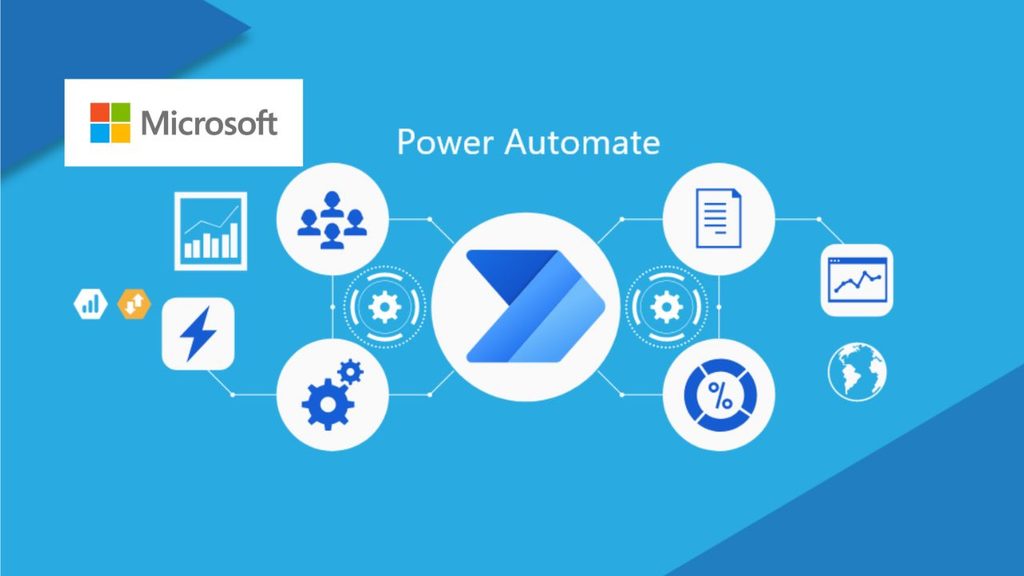
10. Microsoft Power Automate – Automate Everyday Office Processes
Best for: Office productivity and Microsoft ecosystem automation
Many small businesses already use Microsoft applications such as Outlook, Excel, Teams, and SharePoint.
Microsoft Power Automate allows businesses to connect these applications and create automated workflows that reduce repetitive administrative work.
Key features:
- Automated cloud workflows.
- Desktop process automation.
- Microsoft 365 integrations.
- Approval workflows.
- Document and data processing.
- Automated notifications.
Business application: A small company can automatically notify managers when employees submit leave requests, organize documents, and trigger approval processes.
Why choose Microsoft Power Automate? It is particularly valuable for businesses already operating within the Microsoft ecosystem.
Comparison: Top 10 Business Automation Tools
Here is a quick comparison to help you identify which platforms best match your business requirements.
| Automation Tool | Primary Purpose | Ideal Business |
|---|---|---|
| Zapier | App integration and workflows | Startups and agencies |
| Make | Advanced workflow automation | Growing businesses |
| HubSpot | CRM and sales automation | Sales-focused companies |
| Mailchimp | Email marketing | Online businesses |
| QuickBooks | Accounting and invoicing | Service businesses |
| Calendly | Appointment scheduling | Consultants and agencies |
| Asana | Project management | Small teams |
| Slack | Team communication | Collaborative teams |
| Shopify | eCommerce automation | Online retailers |
| Microsoft Power Automate | Office workflow automation | Microsoft-based businesses |
How to Choose the Right Automation Tools for Your Small Business
Having access to automation software does not automatically mean your business will become more productive. The key is choosing solutions that address actual operational problems.
Consider these five steps before investing in automation platforms.
1. Identify Repetitive Business Activities
Start by identifying tasks that employees perform repeatedly.
Examples include:
- Sending customer follow-up emails.
- Preparing invoices.
- Entering customer information.
- Scheduling meetings.
- Assigning employee tasks.
- Updating sales records.
These activities are usually good candidates for automation.
2. Choose Tools Based on Your Business Requirements
Avoid subscribing to multiple platforms simply because they offer attractive features.
Instead, identify your primary business requirements.
For example:
- Sales management: HubSpot.
- Marketing automation: Mailchimp.
- Workflow integration: Zapier.
- Project management: Asana.
- Accounting: QuickBooks.
- Scheduling: Calendly.
Choose software that solves a specific problem.
3. Start With Small Automation Projects
You do not need to automate every business operation immediately.
Start with one or two repetitive processes and gradually expand your automation system.
For example, automate website inquiry notifications before introducing more complicated sales and marketing workflows.
4. Evaluate Costs and Return on Investment
Automation software can reduce operating expenses, but subscription costs should be considered carefully.
Evaluate:
- Monthly subscription fees.
- Number of employees who need access.
- Workflow execution or usage limits.
- Integration costs.
- Implementation expenses.
- Maintenance requirements.
A free plan may be sufficient for a startup, while a growing company might require advanced features.
5. Monitor and Improve Automated Workflows
Automation is not a one-time setup.
Businesses should regularly review workflows to identify failed processes, outdated information, duplicate records, and unexpected customer experiences.
Keep human approval for important decisions involving payments, sensitive customer information, legal commitments, or financial transactions.
Practical Example: How a Small Digital Marketing Agency Can Automate Its Operations
Imagine a small digital marketing agency managing multiple clients, social media campaigns, graphic design projects, and monthly reports.
Without automation, employees may spend considerable time handling repetitive administrative tasks.
By combining different automation platforms, the agency can create a more efficient operational system.
| Business Activity | Suggested Tool | Automation |
|---|---|---|
| Website lead collection | HubSpot | Capture and organize new leads |
| Client inquiry notifications | Zapier | Send alerts to the sales team |
| Client meetings | Calendly | Allow automatic appointment booking |
| Project assignments | Asana | Assign and track tasks |
| Team communication | Slack | Receive automated updates |
| Email campaigns | Mailchimp | Send scheduled customer emails |
| Accounting | QuickBooks | Organize invoices and expenses |
For example, when a potential client submits an inquiry through the agency website, the information can automatically enter the CRM, trigger an email confirmation, notify the sales team, and create a follow-up task.
This reduces unnecessary manual work and allows employees to spend more time on creative production, client communication, and business development.
The same approach can be adapted for software development companies, consulting firms, online retailers, and other service-based businesses.
The Future of Small Business Automation: AI and Intelligent Workflows
Traditional automation follows predefined rules. For example, when a customer submits a form, the system sends an email.
AI-powered automation takes this concept further by helping software understand information, generate content, summarize conversations, classify requests, and support more complex workflows.
Several developments are shaping the future of business automation.
AI-Powered Customer Support
AI assistants and chatbots can respond to frequently asked questions, provide product information, and route complicated inquiries to human employees.
Intelligent Marketing Automation
AI can help businesses generate marketing content, analyze customer behavior, segment audiences, and personalize communication.
Automated Data Analysis
Businesses can use AI-powered tools to summarize reports, identify trends, and turn large amounts of information into useful insights.
Workflow Automation With AI Agents
AI agents are increasingly being integrated into business workflows to handle multi-step tasks, use connected applications, and assist with decision-making under appropriate human supervision.
Personalized Customer Experiences
Businesses can use customer data and automation to provide more relevant recommendations, targeted communication, and timely follow-ups.
The combination of traditional automation and artificial intelligence will continue to create opportunities for small businesses to operate more efficiently.
Common Mistakes to Avoid When Implementing Business Automation
Although automation offers significant advantages, poorly implemented systems can create additional problems.
Here are some mistakes small businesses should avoid:
- Automating inefficient processes: Improve a workflow before automating it.
- Using too many applications: Excessive software subscriptions can increase complexity and costs.
- Ignoring employee training: Employees need to understand how automated systems work.
- Neglecting data security: Protect customer information and carefully manage software permissions.
- Removing human supervision: Important financial and customer decisions may still require human approval.
- Failing to monitor workflows: Regularly test automated processes to ensure they continue working correctly.
Successful automation requires a combination of suitable technology, organized business processes, and responsible management.
Final Thoughts: Make Automation Part of Your Small Business Growth Strategy
Business automation is changing how small businesses manage daily operations, communicate with customers, and compete in the digital economy.
Tools such as Zapier, Make, HubSpot, Mailchimp, QuickBooks, and Microsoft Power Automate make it possible to automate important business activities without building expensive custom software.
However, the best approach is not to adopt all ten tools simultaneously. Start with the processes that consume the most time, select suitable platforms, and gradually build an interconnected automation system.
For startups and small businesses, even a few well-designed workflows can improve productivity, reduce administrative workloads, and create more opportunities for growth.
The real advantage of automation is not simply doing more work. It is creating more time to focus on the work that actually moves your business forward.
Frequently Asked Questions (FAQs)
1. What are the best automation tools for small businesses in 2026?
Some of the most useful automation tools include Zapier, Make, HubSpot, Mailchimp, QuickBooks Online, Calendly, Asana, Slack, Shopify, and Microsoft Power Automate. The best choice depends on your business requirements.
2. Can small businesses use automation without technical knowledge?
Yes. Many modern automation platforms provide visual interfaces, templates, and no-code workflow builders. Business owners can create basic automated processes without programming skills.
3. How much does business automation software cost?
Costs vary depending on the platform, features, users, and usage limits. Some platforms provide free plans, while advanced automation capabilities may require monthly or annual subscriptions.
4. Which automation tool is best for startups?
Zapier and Make are useful starting points for connecting applications. HubSpot can help manage customer relationships, while Asana can organize projects and team responsibilities.
5. Can automation replace employees in small businesses?
Automation can reduce repetitive administrative work, but it does not eliminate the importance of human judgment, creativity, customer relationships, and strategic decision-making.
6. Is AI automation suitable for small businesses?
Yes. Small businesses can use AI automation for customer support, content creation, data analysis, lead management, and repetitive administrative tasks. Businesses should maintain appropriate human oversight.
7. What should a small business automate first?
Start with repetitive, predictable activities such as lead notifications, appointment reminders, invoice follow-ups, customer onboarding, and internal task assignments.
What do you feel about this post?

Like

Love

Happy

Haha

Sad
