
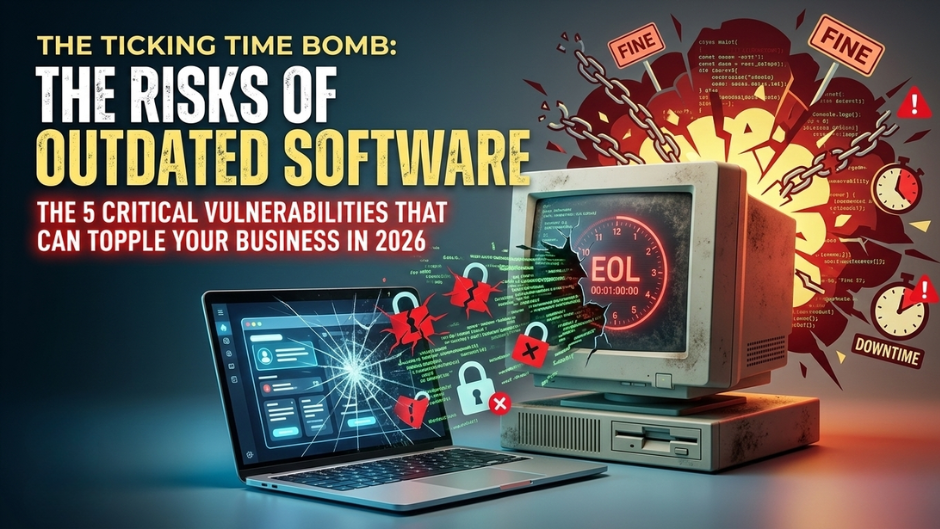
What are the risks of using outdated software?
In the tech world, “if it ain’t broke, don’t fix it” is a dangerous lie.
As a blogger who has watched the digital landscape evolve over the last decade, I’ve seen this mindset topple small businesses and Fortune 500 companies alike. In 2026, using outdated software isn’t just a “minor tech debt” issue—it’s a ticking time bomb. With AI-driven cyberattacks becoming the norm, the “wait and see” approach has become a “wait and fail” strategy.
Here are the five critical risks of running outdated software that every leader and user needs to understand.
1. The “Open Door” Policy: Security Vulnerabilities
The most obvious risk is also the most lethal. Software updates aren’t just for new emojis; they are primarily security patches.
When a developer releases an update to fix a bug, they are essentially telling the world, “We found a hole in the fence.” Hackers read these release notes too. If you don’t patch that hole immediately, you are leaving a map and a key for every cybercriminal on the web.
2026 Reality Check: Recent data shows that 32% of all cyberattacks now specifically target unpatched software vulnerabilities. In the age of “Adversarial AI,” hackers use automated bots to scan millions of IP addresses per hour looking for the exact version of the legacy software you’re still running.
2. The Compliance Trap: Legal & Financial Ruin
If you handle customer data, “old software” is no longer a valid excuse in a court of law. With the tightening of global regulations like GDPR and the recently enforced NIS2 Directive in Europe, organizations are now legally required to maintain “state-of-the-art” security measures.
- Fines: Non-compliance can lead to penalties reaching millions of dollars.
- Liability: In 2026, CISOs and business owners are increasingly being held personally liable for negligence if a breach occurs due to known, unpatched vulnerabilities.
3. The “Fragility” Factor: System Failures
Outdated software is often “fragile” code. Research from 2025 indicates that nearly 45% of the world’s active code is considered fragile—meaning it’s susceptible to total failure when faced with modern traffic surges or new integrations.
- Performance Drag: Legacy systems run slower, consume more compute power, and cost more in energy—a major hit to your “Green IT” or sustainability goals.
- The Crash: Older software wasn’t built to handle the data loads of 2026. A simple API update from a partner could cause your entire legacy stack to collapse like a house of cards.
4. Technical Debt: The Silent Profit Killer
Technical debt is the “high-interest credit card” of the IT world. Every year you stay on an old version, the cost to eventually upgrade doubles.
- Incompatibility: You won’t be able to use the latest AI tools or productivity plugins because they simply won’t “talk” to your old system.
- Talent Drain: Top-tier developers don’t want to work on 15-year-old legacy systems. Using outdated software makes it harder to recruit and retain the talent you need to actually grow.
5. Destructive Downtime
When an old system fails, it doesn’t just “glitch”—it stops. Finding parts or developers who still know how to fix “End-of-Life” (EOL) software is like looking for a typewriter repairman in a Silicon Valley office.
- Recovery Time: Modern systems have automated backups and “hot-swaps.” Legacy systems often require manual reconstruction, leading to days or weeks of downtime.
- Reputational Loss: In 2026, customers have zero patience. If your app is down for 48 hours because of a “legacy glitch,” they’ve already moved to your competitor.
How to Protect Yourself (The 3-Step Audit)
You don’t need to replace everything tomorrow, but you do need a plan.
- Inventory Everything: You can’t protect what you don’t know you have. Use an automated discovery tool to list every piece of software in your ecosystem.
- Identify “End-of-Life” (EOL): Mark any software that is no longer receiving security updates from the manufacturer. These are your “Red Zone” priorities.
- Automate the Basics: Enable auto-updates for OS and browser-level software. For enterprise systems, move toward a Continuous Modernization model rather than waiting for a massive “Version 2.0” leap.
The bottom line? In 2026, the cost of an update is a line item. The cost of a breach is a legacy.